Life360 Tile Bluetooth Tracker Review: Features, Range & Is It Worth It?
Losing your keys just before leaving home can turn a simple task into a frustrating search. The same problem can happen with backpacks, handbags, and other everyday belongings. A small Bluetooth tracker can make finding these items easier without requiring you to replace your phone or buy an expensive tracking system.
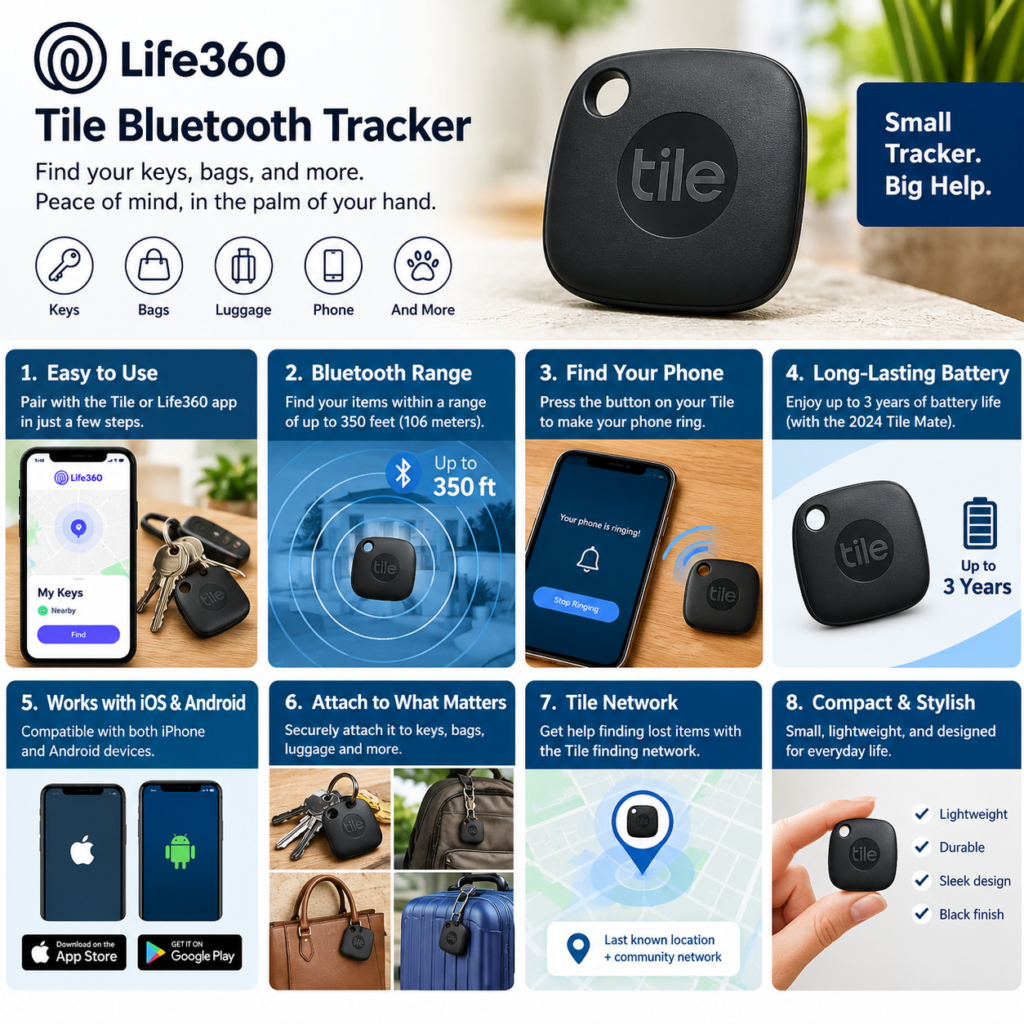
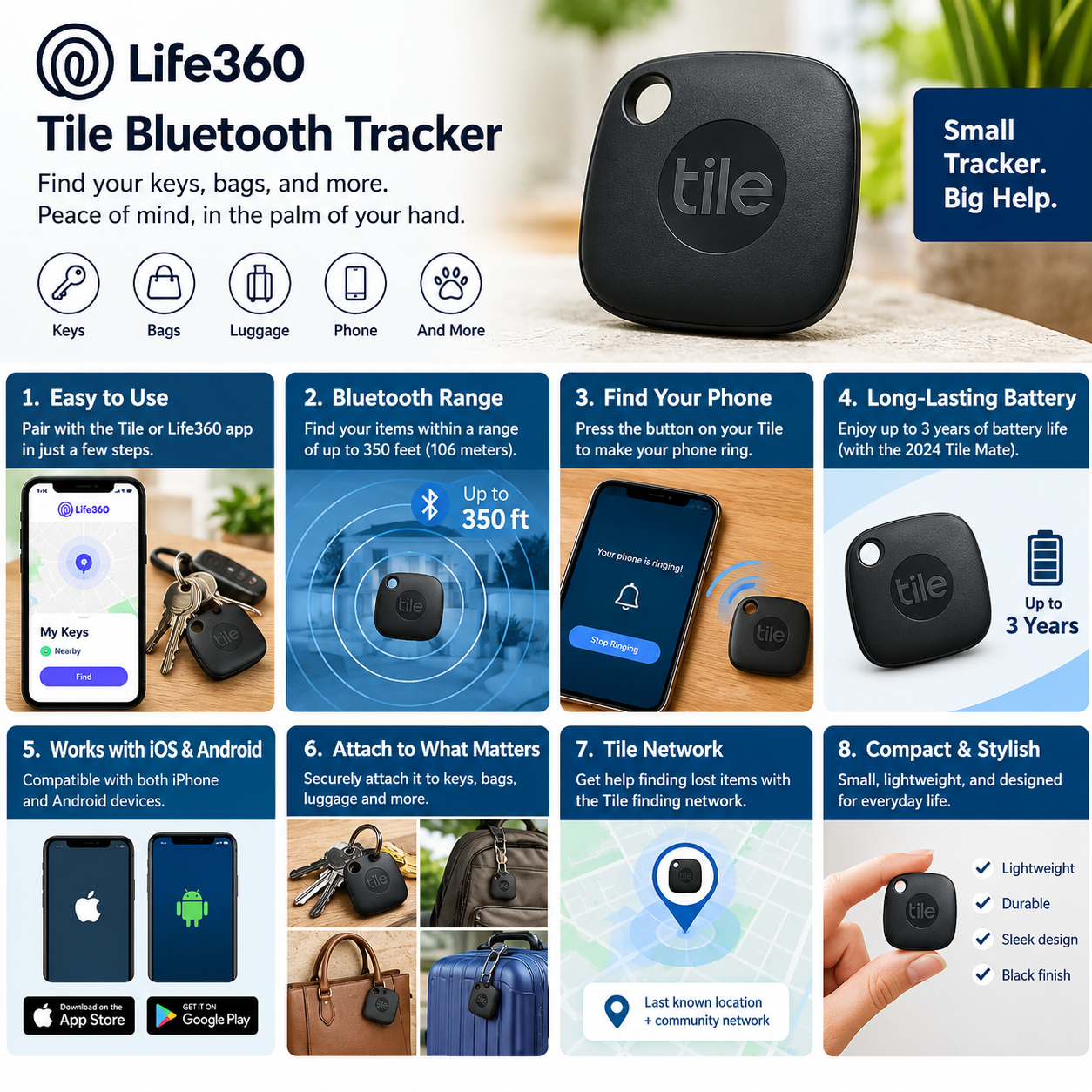
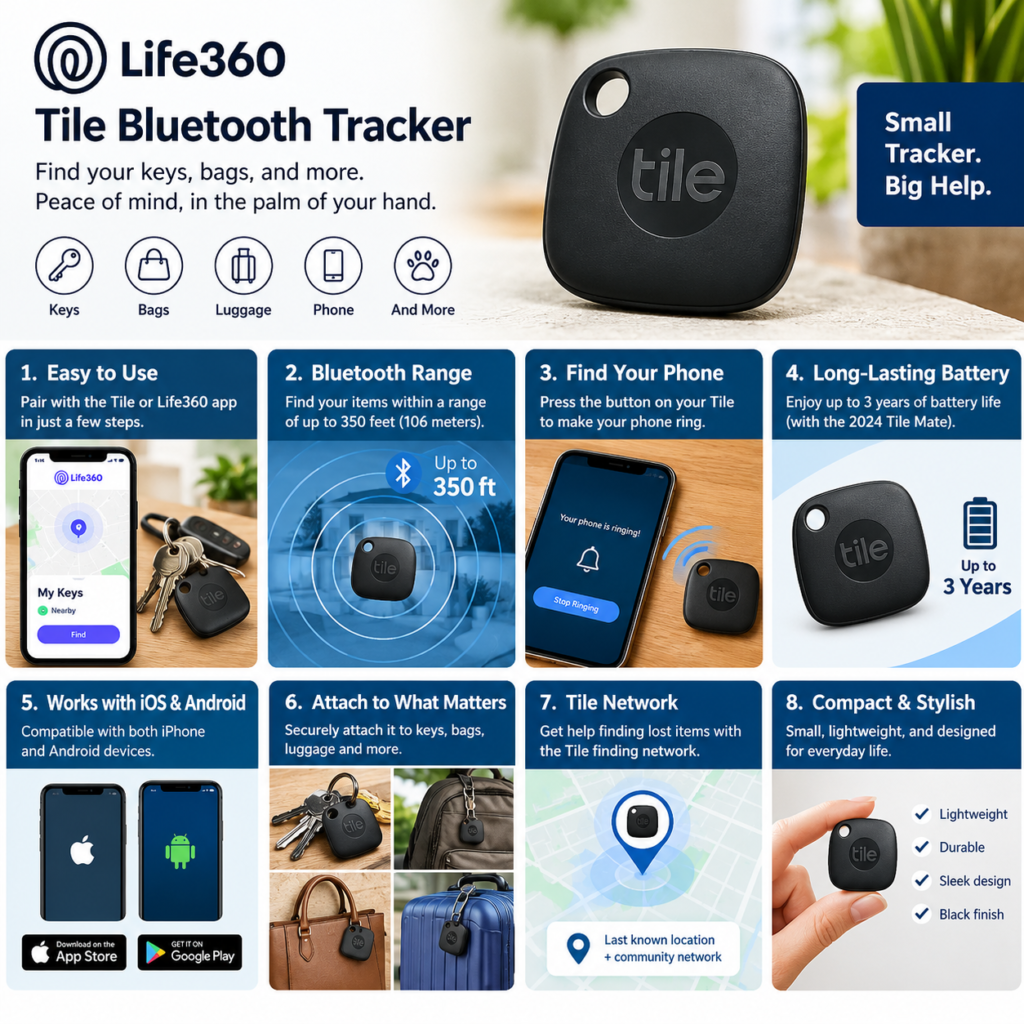
The Life360 Tile Bluetooth Tracker is designed to help you locate frequently misplaced belongings using Bluetooth technology and the Tile app. Its compact black design, built-in keyring attachment, smartphone compatibility, and phone-finding feature make it a practical option for everyday use.
But is the Tile Bluetooth Tracker worth buying? How far can it work, does it require a subscription, and can it track an item when it is far away from your phone?
In this review, we explain its main features, benefits, limitations, compatibility, battery life, and alternatives so you can decide whether it suits your needs.
Quick Verdict: Is the Life360 Tile Bluetooth Tracker Worth It?
The Life360 Tile Bluetooth Tracker is worth considering if you regularly misplace your keys, bag, or other everyday items and want a simple way to locate them using your smartphone.
Its main advantages include Bluetooth-based item finding, compatibility with supported iOS and Android devices, a built-in keyring attachment, a long-lasting battery, and a feature that can help you find your phone.
However, it is important to understand that Tile is a Bluetooth tracker, not a standalone GPS device. Its ability to locate an item depends on Bluetooth connectivity, the last recorded location, and the Tile finding network.
For everyday item finding, it offers useful convenience. For continuous, real-time tracking over long distances, a different type of tracking solution may be more appropriate.
What Is the Life360 Tile Bluetooth Tracker?
The Life360 Tile Bluetooth Tracker is a compact electronic device designed to help users find misplaced personal belongings.
It connects to a compatible smartphone through Bluetooth and works with the Tile app or supported Life360 app features. Once set up, you can use your phone to make the tracker ring when it is within Bluetooth range.
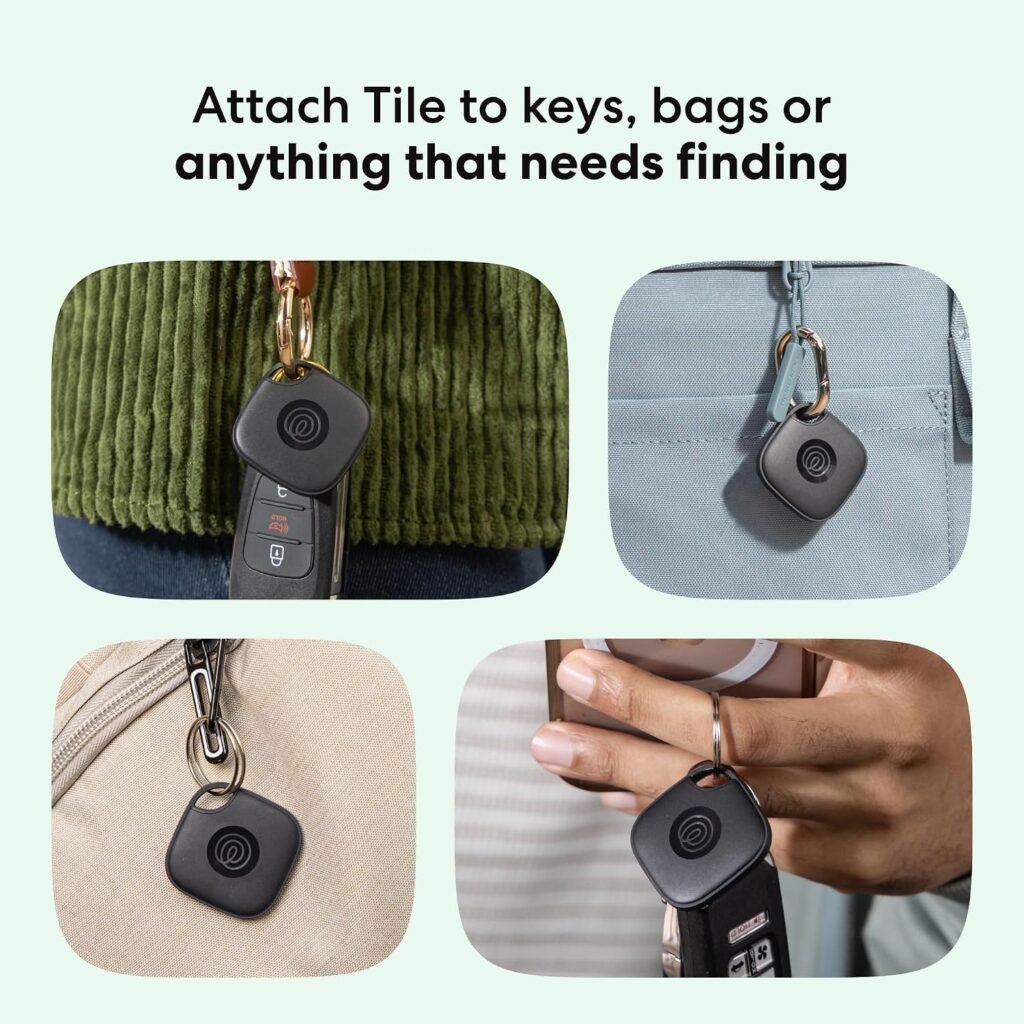
You can attach it to items such as:
- House and car keys
- Backpacks and handbags
- Luggage
- Small personal accessories
- Other belongings that are easy to misplace
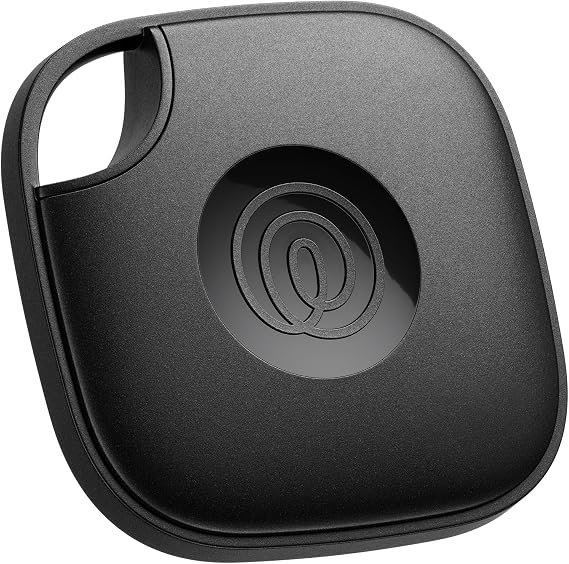
The black version is designed for everyday use and has an integrated keyring hole, allowing you to attach it directly to a keychain.
Want to check the product details? View the Life360 Tile Bluetooth Tracker on Amazon.
Key Features of the Life360 Tile Bluetooth Tracker
1. Bluetooth Item Finding
The main purpose of the Tile tracker is to help you find belongings that are nearby.
After pairing the device with your smartphone, open the Tile app and request that the tracker ring. If the tracker is connected and within range, the sound can help you identify where your keys or bag are located.
This is particularly helpful when an item is hidden under a cushion, inside a bag, or somewhere else nearby.
Why it matters: Instead of searching every room manually, you can use the app to help narrow down the location of your missing item.
2. Bluetooth Range of Up to 350 Feet
The official specifications for the 2024 Tile Mate model list a Bluetooth range of up to 350 feet, approximately 106 metres.
This is a maximum advertised range rather than a guarantee. Walls, furniture, interference, and the surrounding environment can reduce the actual distance.
Why it matters: The range can be useful when searching for belongings around your home, office, or another nearby location, provided a Bluetooth connection can be established.
Remember that the advertised range does not mean the tracker can communicate with your phone from any distance.
3. Works With iPhone and Android
One of Tile’s practical advantages is that it supports compatible devices across Apple’s iOS and Google’s Android ecosystems.
This makes it useful for households where different people use different smartphone brands.
You do not have to own an iPhone to use a compatible Tile tracker.
Device and operating-system requirements can change, so check the official compatibility information before purchasing.
4. Find Your Phone Feature
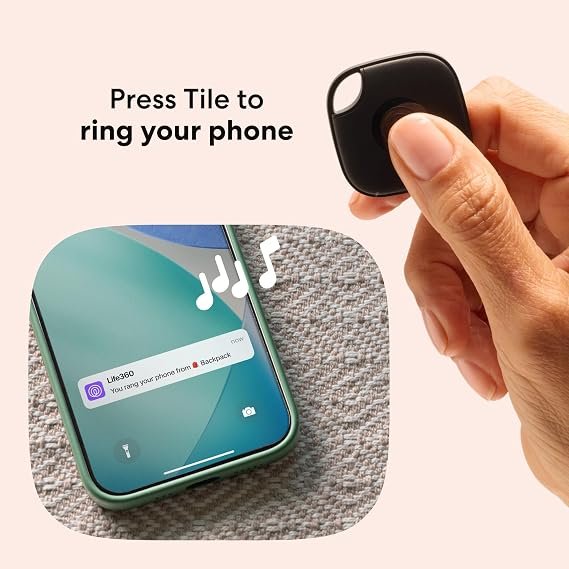
The Tile Mate also offers a phone-finding function.
When configured correctly, pressing the button on the Tile can make your connected phone ring, helping you locate it when it is nearby.
This is especially useful if you often misplace your phone somewhere at home.
The feature depends on a compatible, properly configured device and the required app permissions and connectivity.
5. Long-Lasting Battery
The 2024 Tile Mate model has a manufacturer-rated battery life of up to three years.
The battery is non-replaceable, so the device is not designed for users to change the battery themselves. Once the battery reaches the end of its service life, the tracker will need to be replaced.
Actual battery life can vary depending on usage and conditions.
Why it matters: You do not need to charge the tracker regularly, but you should understand the long-term replacement trade-off before purchasing.
6. Audible Ring to Help Find Items
When your Tile is within range, the app can trigger an audible ring from the tracker.
This can help you find an item when it is hidden from view.
For example, if your keys are somewhere in your bedroom, the sound may help you identify their location without checking every drawer or surface.
The sound is intended for nearby item finding, not for communicating over long distances.
7. Tile Network and Last Known Location
If your item goes missing outside your immediate Bluetooth range, the app may show its last known location.
Tile also has a finding network that can help update a lost tracker’s location when the network detects it, depending on connectivity and available participating devices.
However, a location displayed on the map is not necessarily the item’s current location.
Tile does not contain standalone GPS or cellular tracking. Its location information depends on connections and network updates.
How Does the Life360 Tile Bluetooth Tracker Work?
Getting started is straightforward.
Step 1: Set Up the Tracker
Download the supported Tile or Life360 app and follow the setup instructions for your model.
Step 2: Pair Your Tile
Enable Bluetooth on your compatible smartphone and follow the in-app instructions to connect the tracker.
Step 3: Attach It to Your Belongings
Attach the Tile to a keyring, bag, or another suitable item using its built-in attachment hole.
Step 4: Find Your Item
Open the app and select your Tile. If it is within Bluetooth range and connected, you can request that it ring.
Step 5: Check Its Last Known Location
If the item is no longer nearby, check the map for its last known location and use any available Tile Network features.
The result depends on the last successful connection and any subsequent network updates.
What Can You Use the Tile Bluetooth Tracker For?
Finding House Keys
Attach the tracker to your house keys so you can use the app to help find them when misplaced nearby.
Locating a Backpack
A Tile can help you find a backpack that has been left somewhere nearby, provided the tracker is within range or its location has been updated by the network.
Keeping Track of Everyday Bags
You can attach the tracker to a handbag or another suitable bag to make it easier to locate when misplaced.
Finding Your Phone at Home
The phone-finding function can be useful when your smartphone is nearby but you cannot remember where you left it.
Organizing Frequently Misplaced Items
A tracker can be particularly useful for people who regularly misplace small belongings and want a simple finding system.
Important: A Bluetooth tracker is not a guarantee against theft or loss. Do not rely on it as your only method of protecting valuable possessions.
Does the Life360 Tile Bluetooth Tracker Require a Subscription?
No. Tile’s core finding features can be used without a paid Premium or Premium Protect subscription.
According to Life360’s support documentation, the free experience includes features such as ringing a nearby Tile, viewing its last known location, using the Tile Network’s finding features, and finding a compatible phone.
Some additional benefits depend on the membership plan, the specific tracker model, and the app being used.
Before subscribing, check which benefits you actually need and whether they are available with your device.
You can review the official information here:
Read the Official Tile Subscription Guide
Life360 Tile Bluetooth Tracker Price
The price depends on the retailer, model, availability, and current promotion.
The official Life360 store has listed the Tile Mate single-pack model at $24.99, with promotional prices appearing at other times.
This is a reference price, not a guaranteed current Amazon price. Check the product listing before purchasing.
Check the Latest Price on Amazon
Before ordering, confirm that the listing is for the intended black, single-pack model and review the current shipping, return, and warranty terms.
Pros and Cons of the Life360 Tile Bluetooth Tracker
Pros
- Works with compatible iOS and Android smartphones.
- Helps locate nearby misplaced items using Bluetooth.
- Advertised Bluetooth range of up to 350 feet for the 2024 Tile Mate.
- Built-in keyring attachment.
- Can help find a compatible phone.
- Battery rated for up to three years on the 2024 Mate model.
- Core finding features are available without a paid subscription.
- Can use the Tile finding network when available.
Cons
- Does not have standalone GPS or cellular tracking.
- Maximum Bluetooth range is not guaranteed in every environment.
- The battery is non-replaceable on the 2024 Tile Mate.
- Location updates depend on connections and network availability.
- It is not a substitute for a dedicated real-time tracking system.
- Some additional features require a paid membership.
Life360 Tile Bluetooth Tracker vs Other Tracking Options
Different trackers suit different users. The best option depends on your smartphone, the type of item you want to track, and whether you need nearby finding or a broader tracking network.
| Feature | Life360 Tile Mate | Apple AirTag | Samsung Galaxy SmartTag2 |
|---|---|---|---|
| Main technology | Bluetooth | Bluetooth and Apple Find My network | Bluetooth and Samsung SmartThings Find |
| Phone compatibility | Supported iOS and Android | Apple ecosystem | Compatible Samsung Galaxy devices |
| Best use | Keys and everyday belongings | Everyday item finding for Apple users | Item finding for Samsung users |
| Nearby finding | Yes | Yes | Yes |
| Standalone GPS | No | No | No |
| Battery design | Non-replaceable on 2024 Mate | Replaceable battery | Replaceable battery |
| Main consideration | Cross-platform support | Apple ecosystem dependence | Samsung ecosystem dependence |
Specifications and availability may vary by model and region. These products are not identical, so check each manufacturer’s current documentation before making a decision.
Who Should Buy the Life360 Tile Bluetooth Tracker?
The Tile Mate may be suitable for:
- People who frequently misplace their keys.
- Users who want a compact tracker for everyday bags.
- Households using both iPhones and Android phones.
- People who want a nearby phone-finding feature.
- Users who prefer a tracker that does not need regular charging.
- Anyone looking for basic item-finding features without a mandatory paid subscription.
Who Should Consider an Alternative?
The Tile Mate may not be the best choice if you need continuous GPS tracking, a replaceable battery, or a tracking network designed specifically around your smartphone brand.
If you use an iPhone exclusively, an Apple AirTag may be worth comparing. If you use a compatible Samsung Galaxy phone, the Galaxy SmartTag2 may also be relevant.
If you need to track an item across long distances in real time, research a dedicated GPS tracker instead of assuming a Bluetooth tracker will provide that functionality.
Frequently Asked Questions
1. Is the Life360 Tile Bluetooth Tracker worth buying?
It can be worth considering if you regularly misplace keys, bags, or similar belongings. Its core finding features, smartphone compatibility, and phone-finding function make it useful for everyday item searches. Its Bluetooth limitations should be understood before buying.
2. Does Tile work with iPhone and Android?
Yes, supported Tile models work with compatible iOS and Android devices. Check the current operating-system requirements for your phone before purchasing.
3. How far can a Tile Mate track an item?
The 2024 Tile Mate has an advertised Bluetooth range of up to 350 feet, or approximately 106 metres. Real-world range may be shorter because of walls, interference, and environmental conditions.
4. Is Tile a GPS tracker?
No. Tile uses Bluetooth and its finding network rather than built-in GPS and cellular connectivity. Its displayed location is based on a successful connection or a subsequent network update.
5. Does Tile require a monthly subscription?
No. Core finding features are available without a paid subscription. Certain additional benefits may require a Life360 membership.
6. Can Tile find my phone?
Yes. Compatible Tile models can help ring a connected phone when the feature is configured and the necessary conditions are met.
7. How long does the Tile Mate battery last?
The 2024 Tile Mate is rated for up to three years of battery life. Its battery is non-replaceable, so the tracker will eventually need replacement.
8. Can Tile locate an item that is far away?
It may show the last known location and can receive location updates through the Tile Network when available. However, it cannot provide guaranteed continuous, real-time GPS tracking.
9. Can I attach Tile to a backpack?
Yes. The Tile Mate has a built-in keyring hole and can be attached to suitable bags and other belongings using an appropriate attachment.
10. Does Tile work without Wi-Fi?
Bluetooth finding between a paired phone and tracker does not require a Wi-Fi connection specifically. However, internet access and other connectivity conditions may be needed for certain app and network features.
Final Verdict: Should You Buy the Life360 Tile Bluetooth Tracker?
The Life360 Tile Bluetooth Tracker is a practical option for people who want a simple way to find frequently misplaced everyday belongings.
Its main strengths are cross-platform compatibility, Bluetooth item finding, the phone-finding function, a built-in keyring attachment, and a battery designed to last for years without regular charging.
The most important limitation is that it is not a GPS tracker. Its location capabilities depend on Bluetooth connectivity, last-known-location information, and the availability of the Tile finding network.
If your main goal is to locate keys or bags that you often misplace, the Tile Mate is worth considering. If you need continuous long-distance tracking or want a replaceable battery, compare alternative products first.
Ready to check the product details and current price?
View the Life360 Tile Bluetooth Tracker on Amazon
Affiliate Disclosure
DigitalAff.com may earn a commission if you purchase through affiliate links in this article, at no additional cost to you. As an Amazon Associate, the publisher may earn from qualifying purchases.
Prices, specifications, compatibility, and subscription features can change. Always verify the latest information on the product listing and manufacturer’s website before purchasing.